For general reports info and settings check this page.
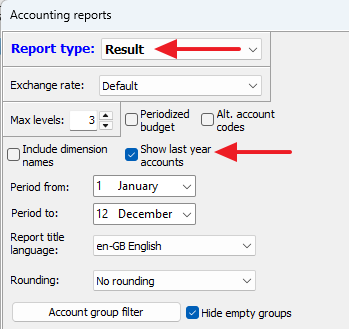
The Result report shows the resulting incomes and expenses for the selected period.
The report's groups are organized as your accounting groups, defined in Settings / Mainbook groups and your assignments of the following groups defined in Settings / Group assignments:
Incomes
Expenditures
Financial incomes
Financial loss.
= Grand total
Note:
The desired detail level (i.e. how many group levels) in the report can be chosen by altering the Max levels count. You may try with 2 or 3 here.
Feature notice!
This report may also be displayed in graph / chart mode. See details here.
Additional column: Last year's balances
The Result report has a unique feature: It is possible to add a column displaying the last year's balances for the same period as for the current year. This is very useful when investing differences between yearly results: