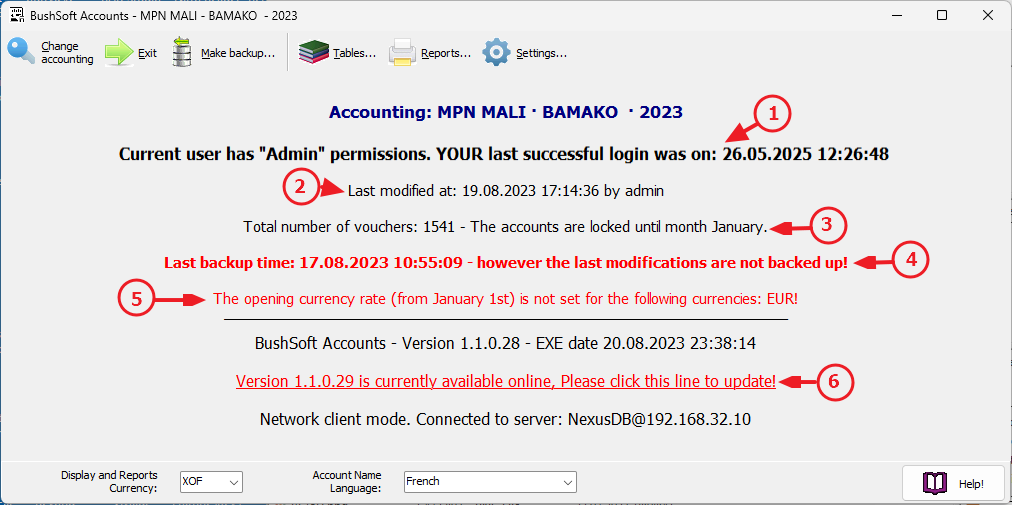
Note that the currently opened accounting's name, office and year are always displayed as the caption on the mainform's top window frame!
Once you have successfully logged in then the app's Main Window appears - which greets you with some basic information about the accounting you just opened.
IMPORTANT! Please always check if others have been logging in using YOUR login name since the last time YOU were logged in (1). Also check the timestamp and username who last modified the accounting (2). Also make sure you LOCK the PERIODS after each report submitted to your fundraisers (3). Make sure that you never forget to create backup copies of your accounting once changes have been made (4). Don't forget to enter all beginning-of-year exchange rates for ALL your foreign currencies against your transaction currency (5).
Finally, please ALWAYS download, install and RUN the latest version of the software (6) By this you benefit from bug fixes and new enhancements!