Adding or Editing Mainbook Account Groups
To learn more about this app's basic functions when editing data, please click here ...
This is an editable tree view of your mainbook account groups hierarchy.
Make sure that you at least have the following four ROOT groups as children under 'Accounting':
Assets, Debts (which defines the layout of your Status Report)
Incomes and Expenses, optionally also Financial incomes and / or Financial Expenses (which defines the layout of your Result report).
You may check your current assignment for these 'Root groups here.
Select the Accounting 'root' or any node to add child nodes 'under' it, using the Add or Add Child buttons. You may also change the node's sibling order by clicking the Move up or Move down buttons.
You may reorganize the tree by moving a group with or without children from one node to another node using Drag and Drop. Note that in this case it may take a couple of seconds before the mouse pointer switches to its dragging mode.
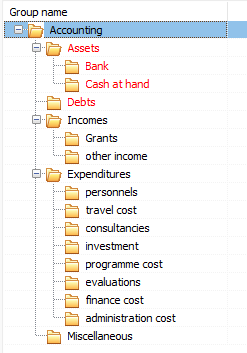
Example of mainbook group hierarchy:
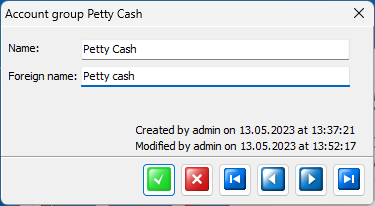
If you need to change the group's native or foreign name, doubleclick the node to get up the group name edit window: