Users table
To learn more about this app's basic functions when editing data, please click here ...
Upon creation of the current year's accounting the 'admin' username is automatically created and you have been prompted to enter this user's password.
As admin you may add any number of users with different privileges. Please open the following tab:
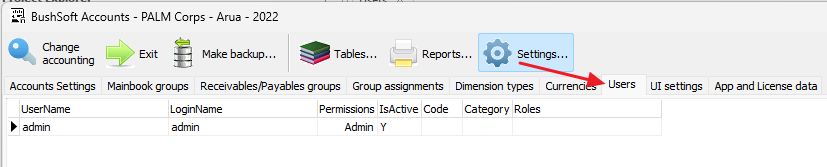
If you want to edit or Add a user, please click the appropriate button and this window will open:
Adding or editing a user.
Enter the user's full name in the 'User name' control.
The login name may contain lowercase letters or digits.
The 'Password' and 'Password confirmation' control should contain the user's password. Always keep track of users' passwords!
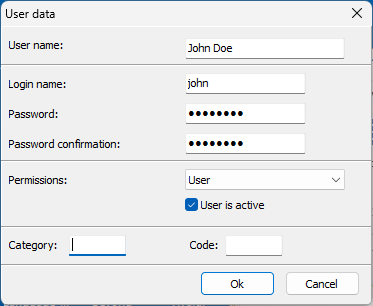
Then select the user's 'Permissions' from the list below:
View Only = Read only, NO modifications allowed
User = Normal user, may register accounting vouchers
Power User = May also Create new Groups or Accounts
Admin = May also Add, Modify and Disable users
The 'User is Active' control: If unchecked then this user is no longer allowed to log in to the software.
The Category and Code controls are not currently in use.
Don't forget to click the Ok button to save the user data!